Following are the steps to enable or disable port of the Access Point:
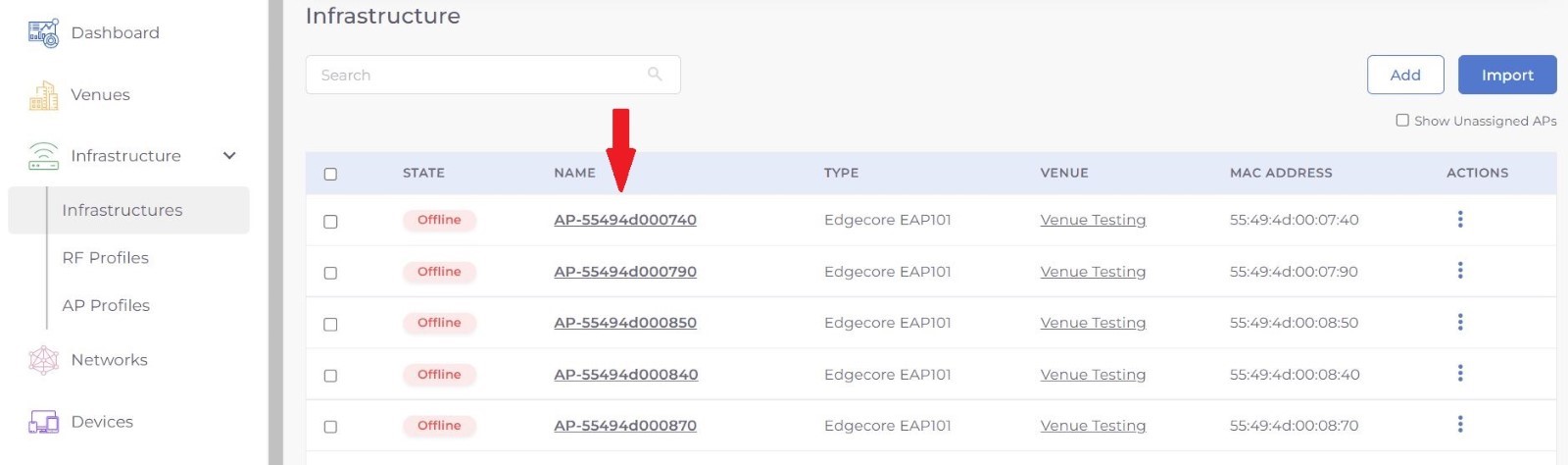
Step 1: Select Infrastructure from menu and choose the Access Point from the list on which you want to perform the action.
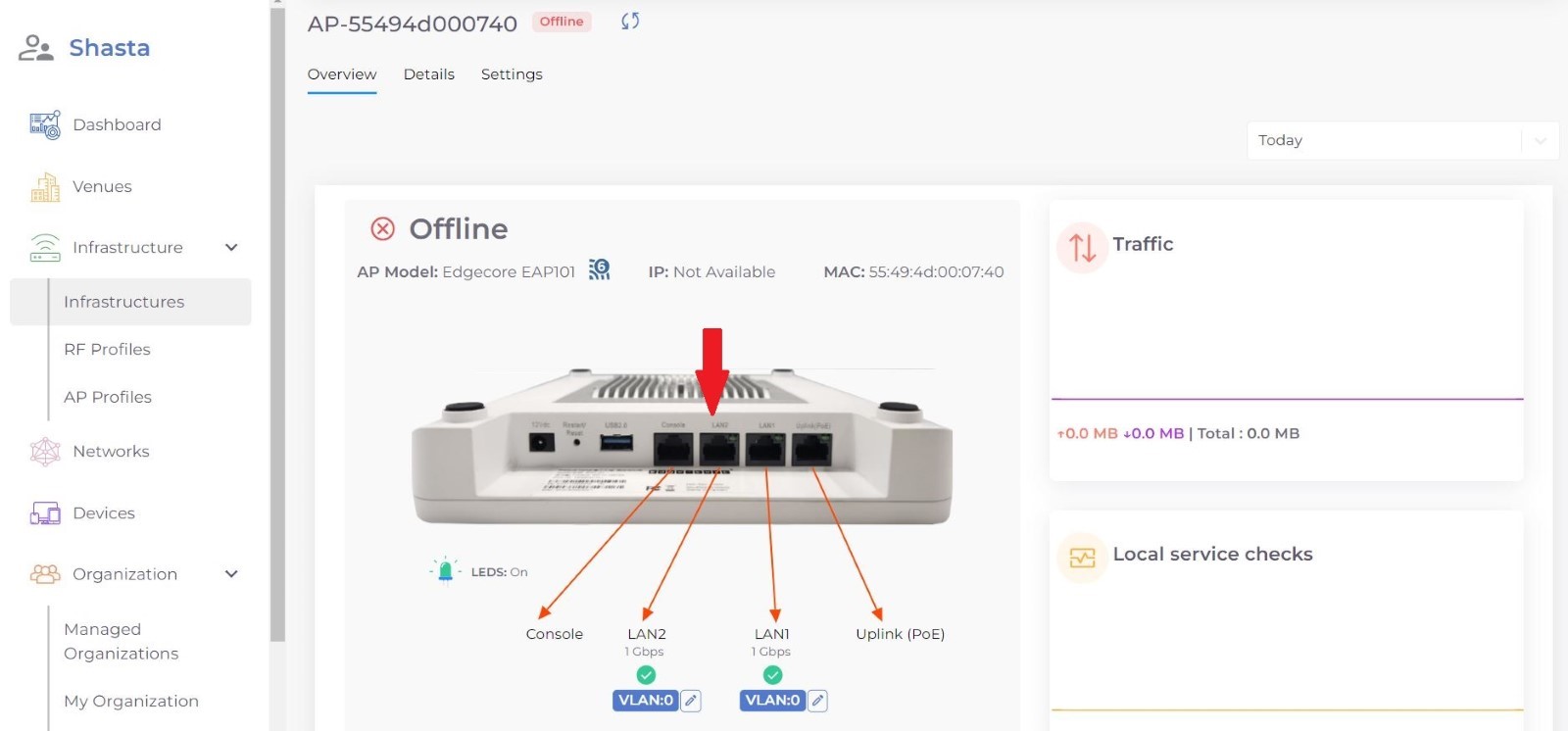
Step 2: Click on the port you want to Disable or enable from the image.
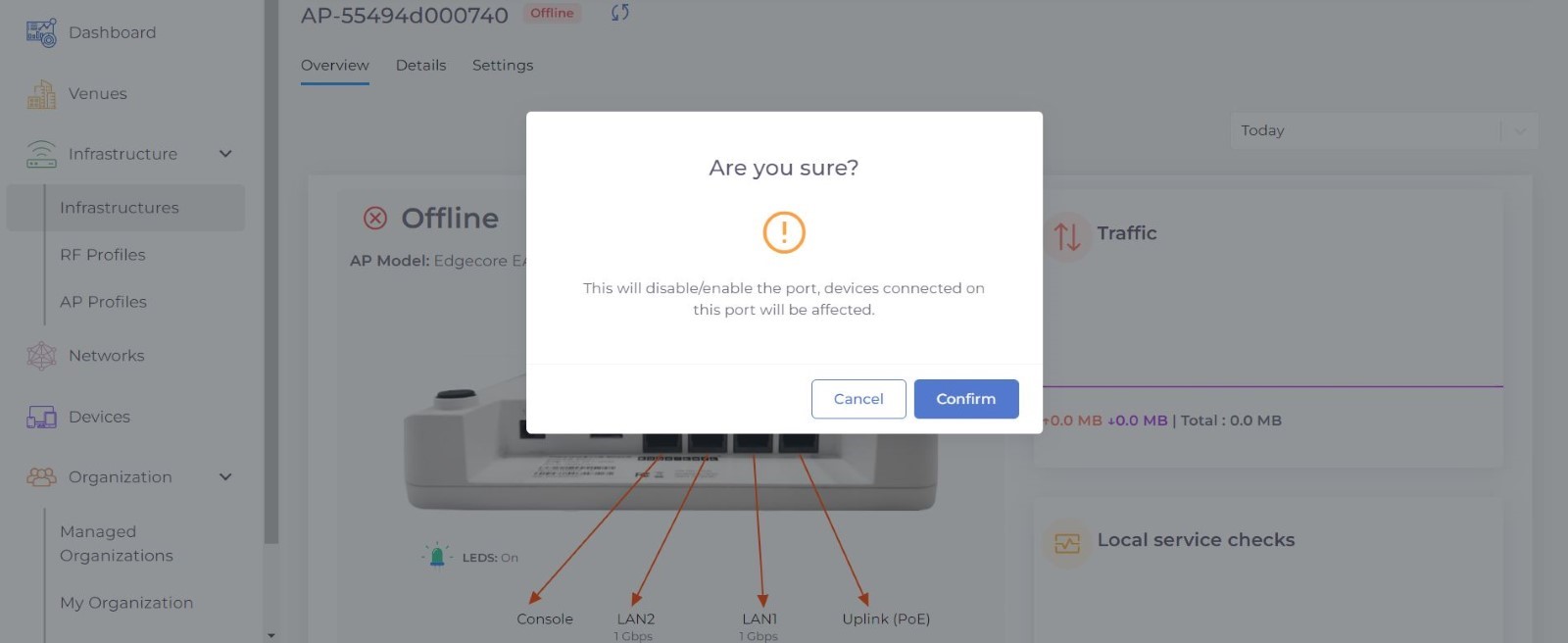
Step 3: Press Confirm to apply your changes.
Was this article helpful?
That’s Great!
Thank you for your feedback
Sorry! We couldn't be helpful
Thank you for your feedback
Feedback sent
We appreciate your effort and will try to fix the article