MPSK with external AAA allows managed service provides to integrate with their AAA server and manage personalized PSK per device.
To configure the network as MPSK AAA, follow below steps:
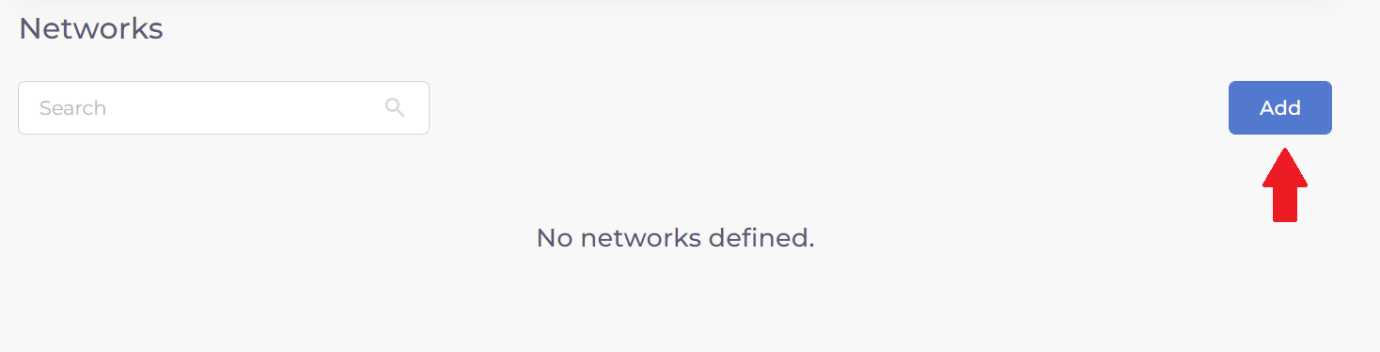
Step 1: Go to the main menu and select ‘Networks’.
Step 2: Click on ‘Add’ button at the top right corner of the screen.
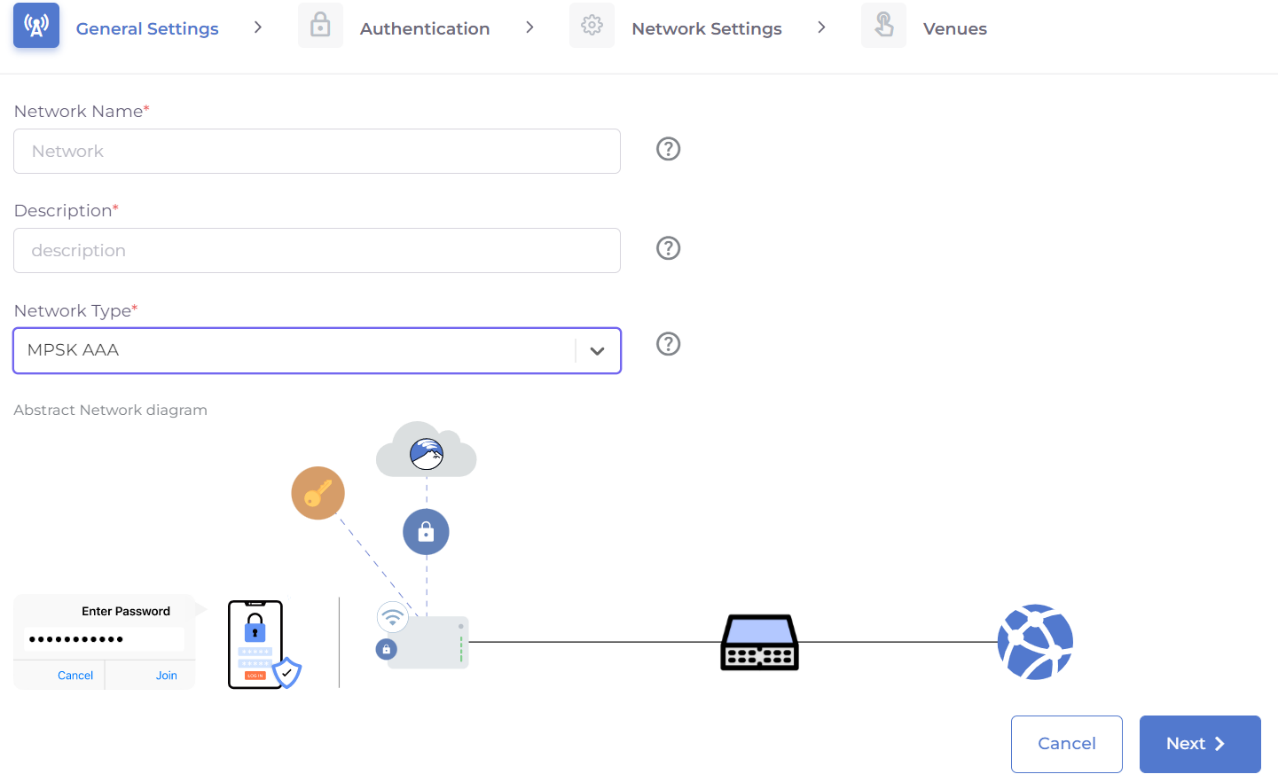
Step 3: Configure the general settings of the Network.
- Set the Network Name (SSID of the network)
- Description of the network (Eg: Setup network for Accounts department)
- Select the Network Type as ‘MPSK AAA’.
- Click on Next.
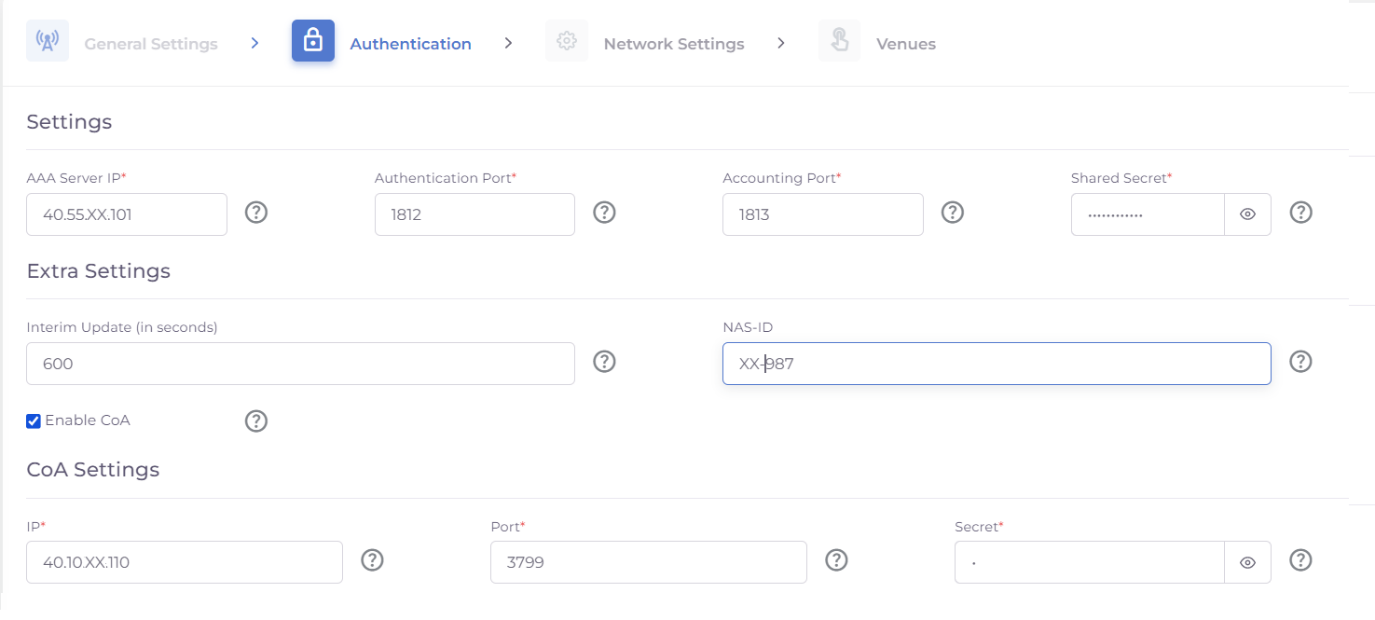
Step 4: Setup the Authentication settings for the MPSK AAA server.
- Configure IP Address, port and secret to communicate with the AAA server.
- Set Interim update interval for accounting radius server (Default value is 600s).
- Set the NAS identifier string for RADIUS messages.
Enable COA – Set to disabled by default.
If COA is enabled, set the IP address, port and secret for COA messages.
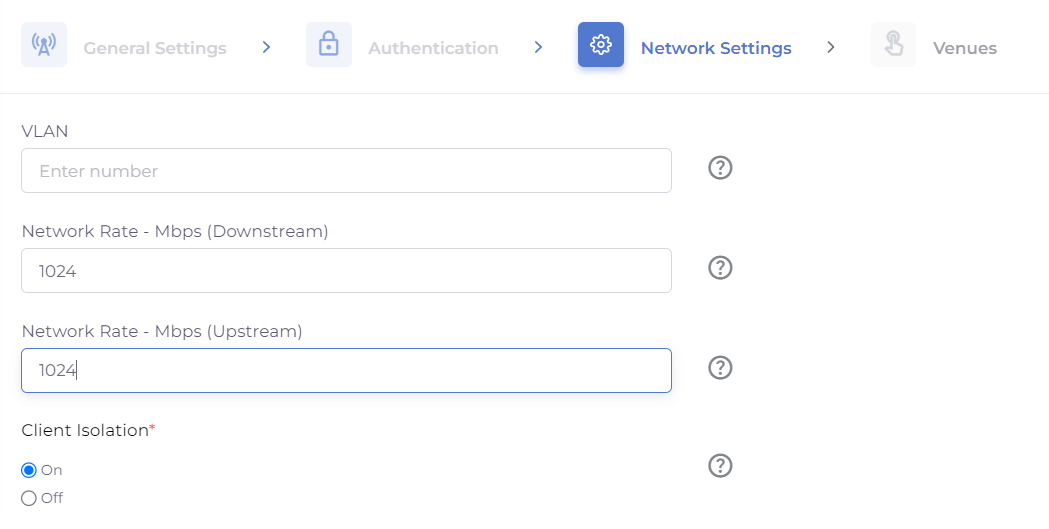
Step 5: Configure Network settings.
- VLAN Id: setup VLAN for the network
- Network Rate (Downstream) – Set the rate at which user can download data from the network.
- Network Rate (Upstream) – Set the rate at which user can upload data from the network.
- Client Isolation (Default value is enabled) – Isolate individual clients in the network.
Step 6: Apply network configuration to the venue(s)
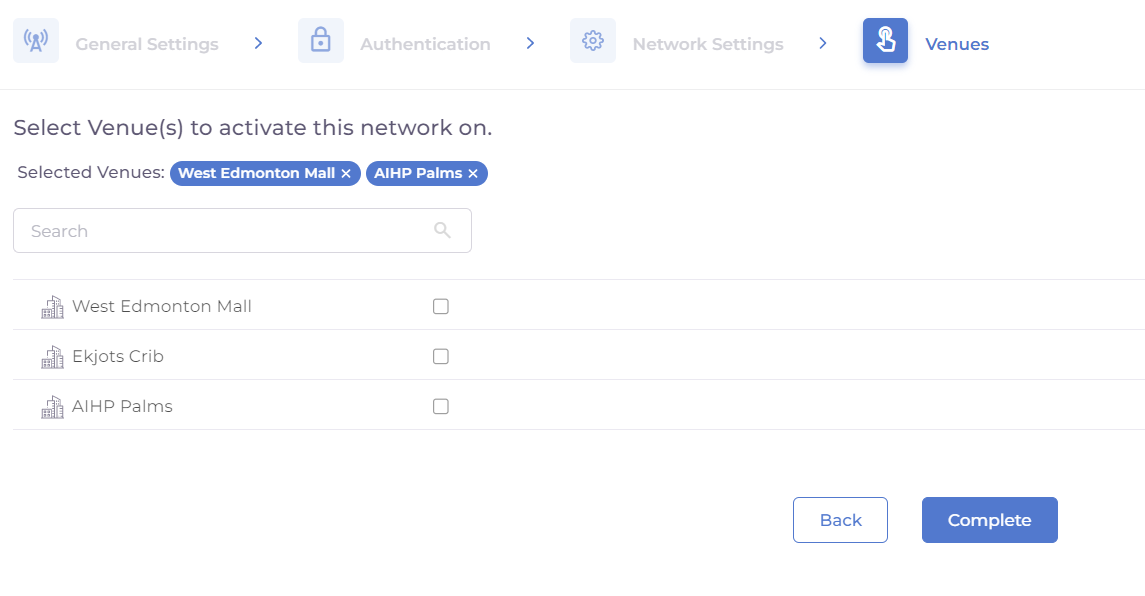
Step 7: Click on ‘Complete’ button once done.
System shall apply the network configuration to all the access points of the selected venue.
Was this article helpful?
That’s Great!
Thank you for your feedback
Sorry! We couldn't be helpful
Thank you for your feedback
Feedback sent
We appreciate your effort and will try to fix the article