Follow below are the steps to remove an identity:
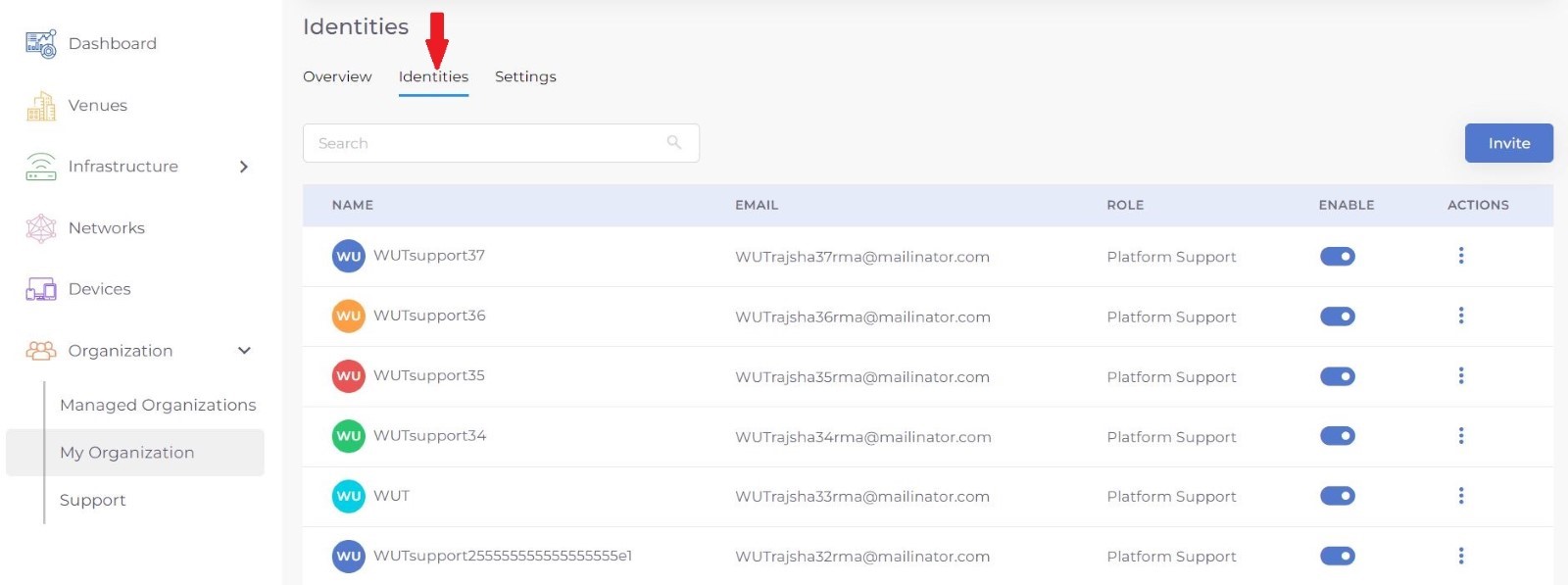
Step 1: Select My Organization from menu, and select Identities tab on top.
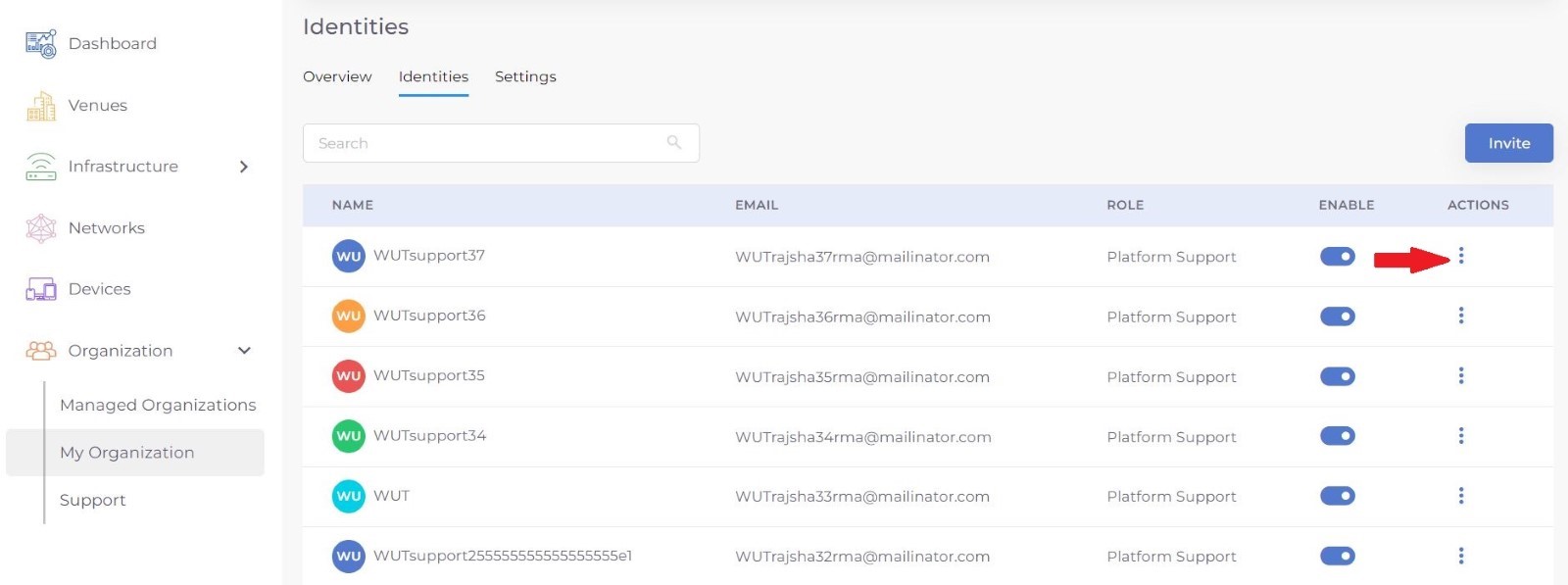
Step 2: Select the identity to remove and press on Actions button.
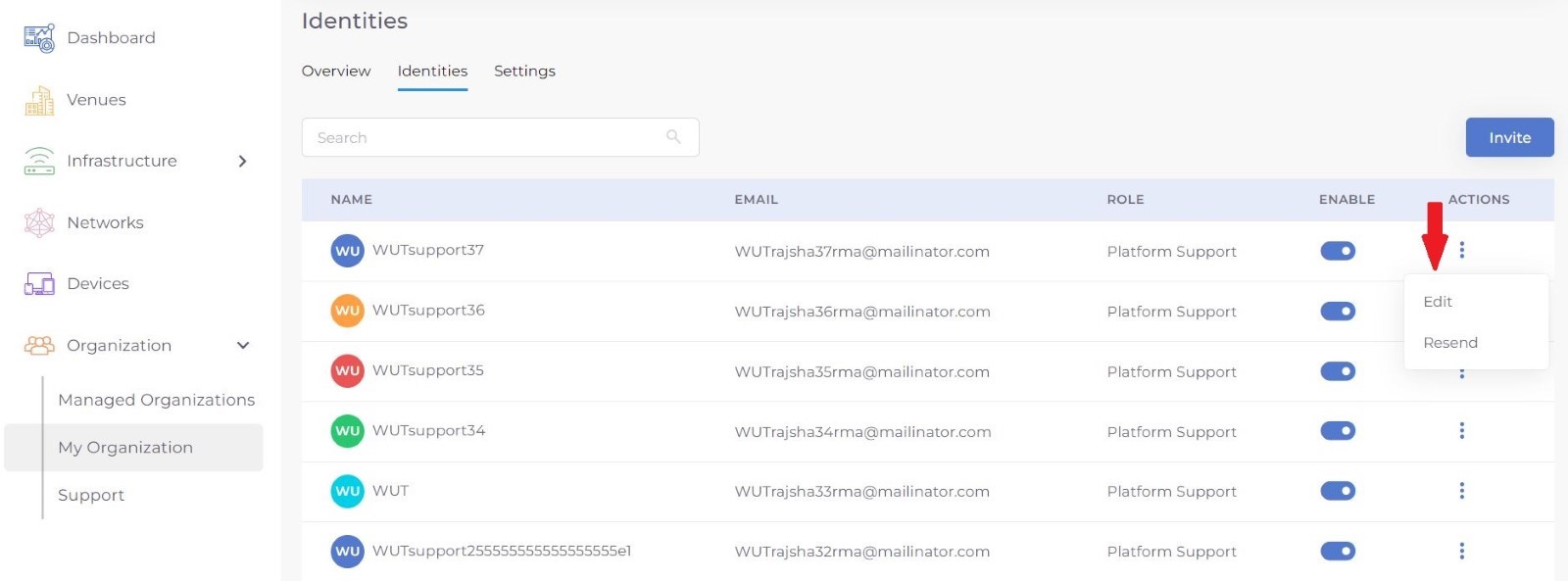
Step 3: Select Edit from the menu.
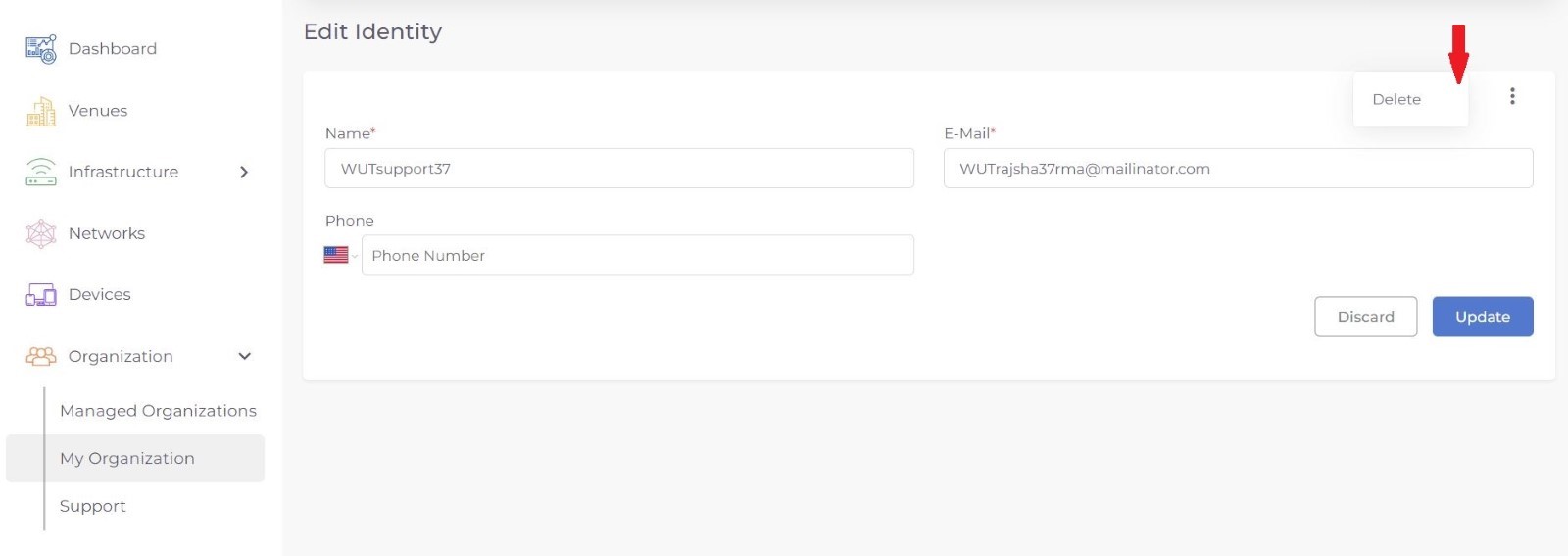
Step 4: Select three dot menu on top right and select Delete.
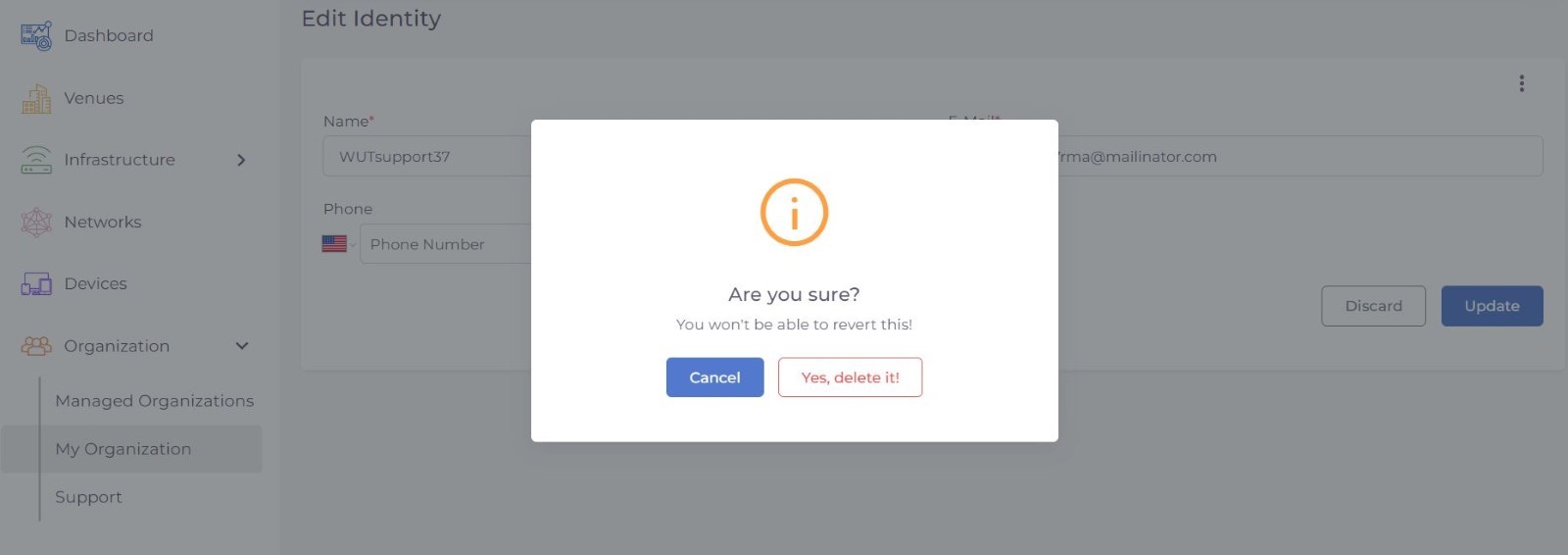
Step 5: Press Yes, Delete it , button to delete that identity.
Was this article helpful?
That’s Great!
Thank you for your feedback
Sorry! We couldn't be helpful
Thank you for your feedback
Feedback sent
We appreciate your effort and will try to fix the article